


Scheduled backups provide peace of mind by automatically creating restore points for your server at set intervals. This ensures that even if something goes wrong, you always have a recent backup to recover from — without needing to remember to trigger one manually.
This article explains how backup scheduling works, what options are available, and how to adjust your backup preferences (if allowed by your server plan).
If your VPS plan includes automated backups, you can perform backups of your server on a regular schedule. These are full VM-level backups stored in secure storage and available for restore via your client area.
Retention Policy:
-
Standard plans include 1–3 backup slots (oldest backups are rotated out).
-
Additional slots can be purchased during checkout or by upgrading via your client area.
-
Note: Scheduled backups do not consume your server’s disk space. They are stored separately on dedicated backup infrastructure.
Access Your Services
-
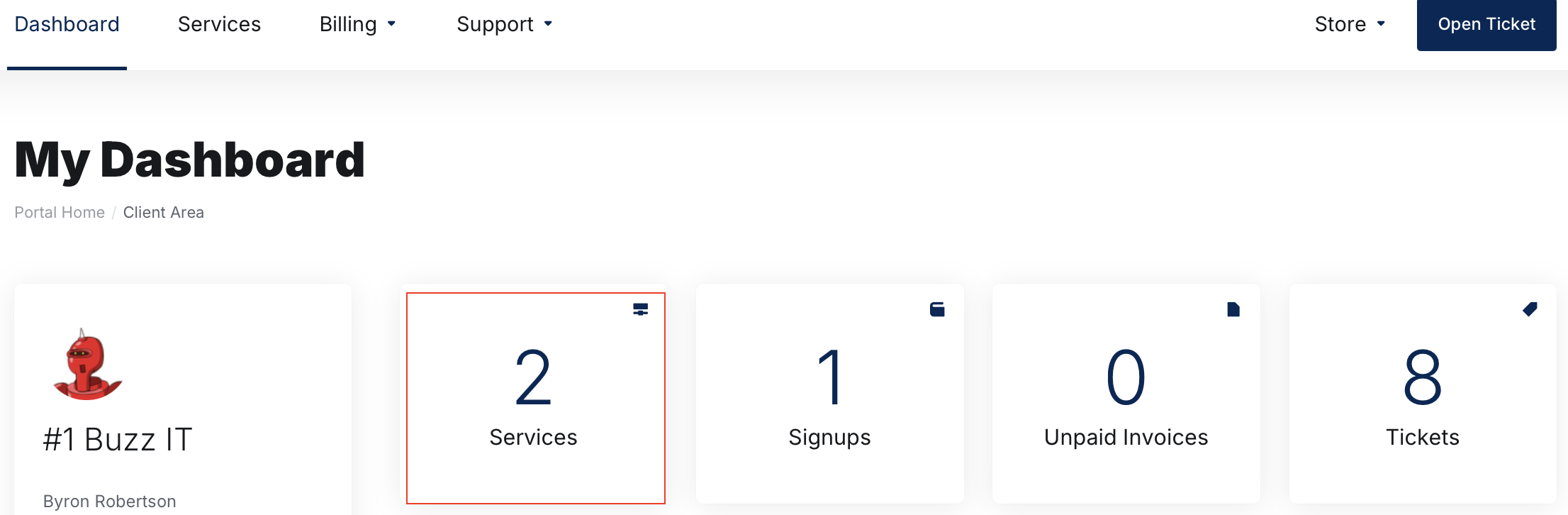
Click on Services
-
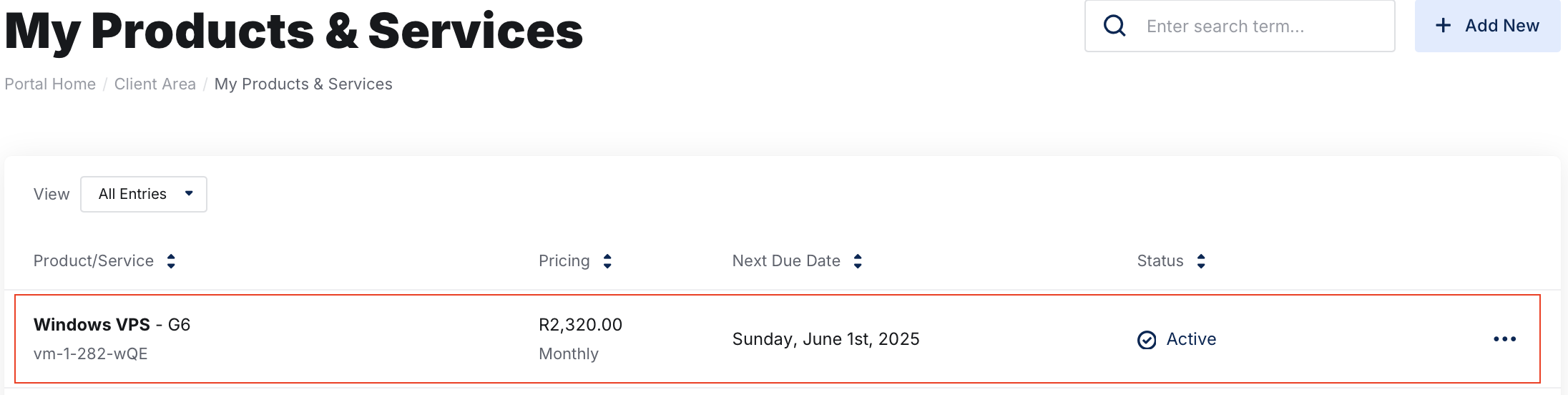
Select the VPS you want to manage by clicking on it.
Open the Backups Section
Navigate to Backup Jobs under Additional Tools
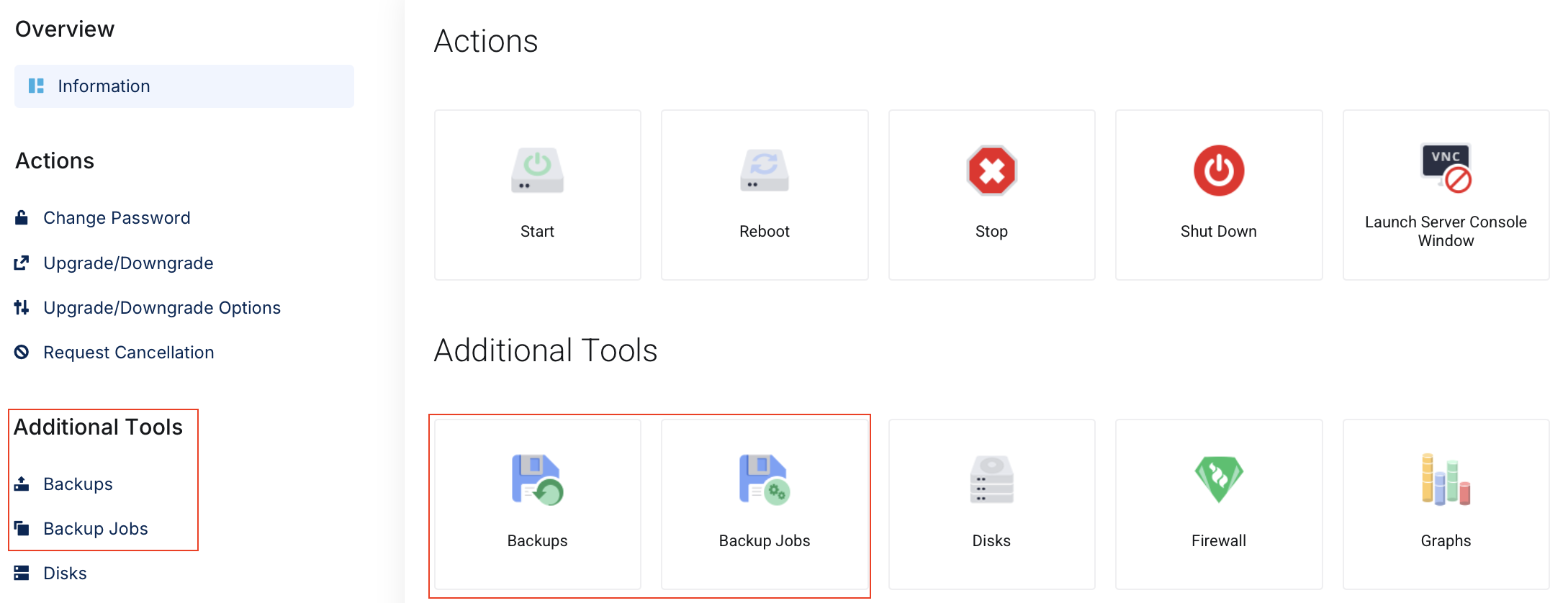
This will take you to the section where you can configure your automated backups.
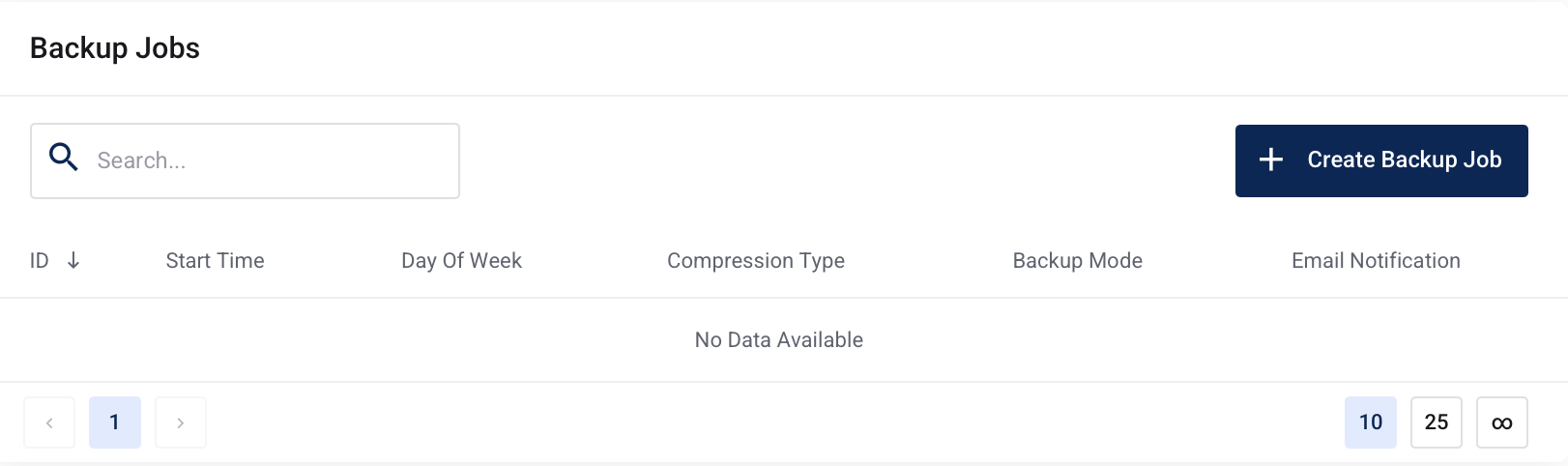
Click on + Create Backup Job. A new popup will appear asking you to configure the schedule.
Take note of your "routing backup limit" based on your purchased plan and the implications of this.
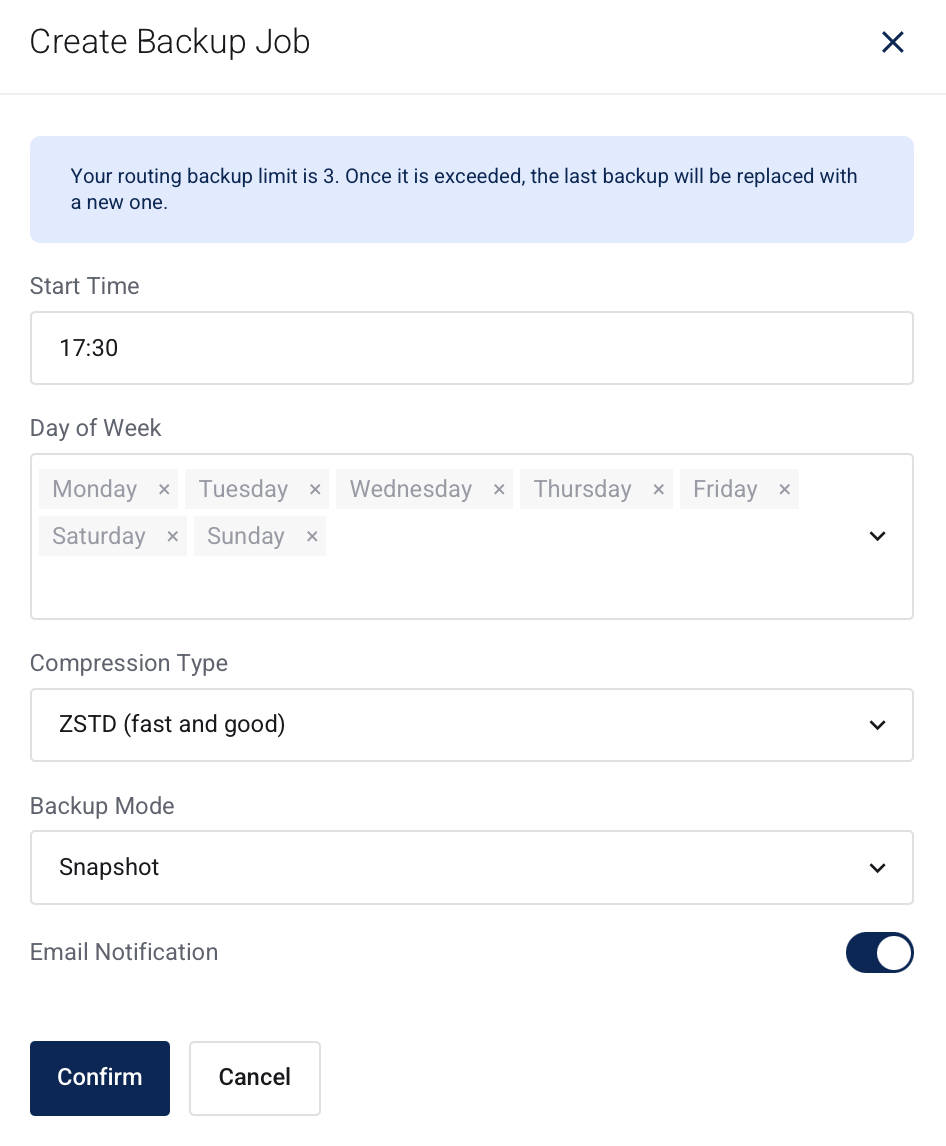
Configure the following parameters
- Start time: When you want your backup to begin
- Day of week: Which day on the week would you like the backup to take place.
- Compression type: Leave as default, ZSTD (fast and good)
- Backup Mode: Leave as default, Snapshot.
- Email Notifications: Toggle on or off based on your preference of receiving email notifications for backups.
Click Confirm to apply the configuration for your automated backups.
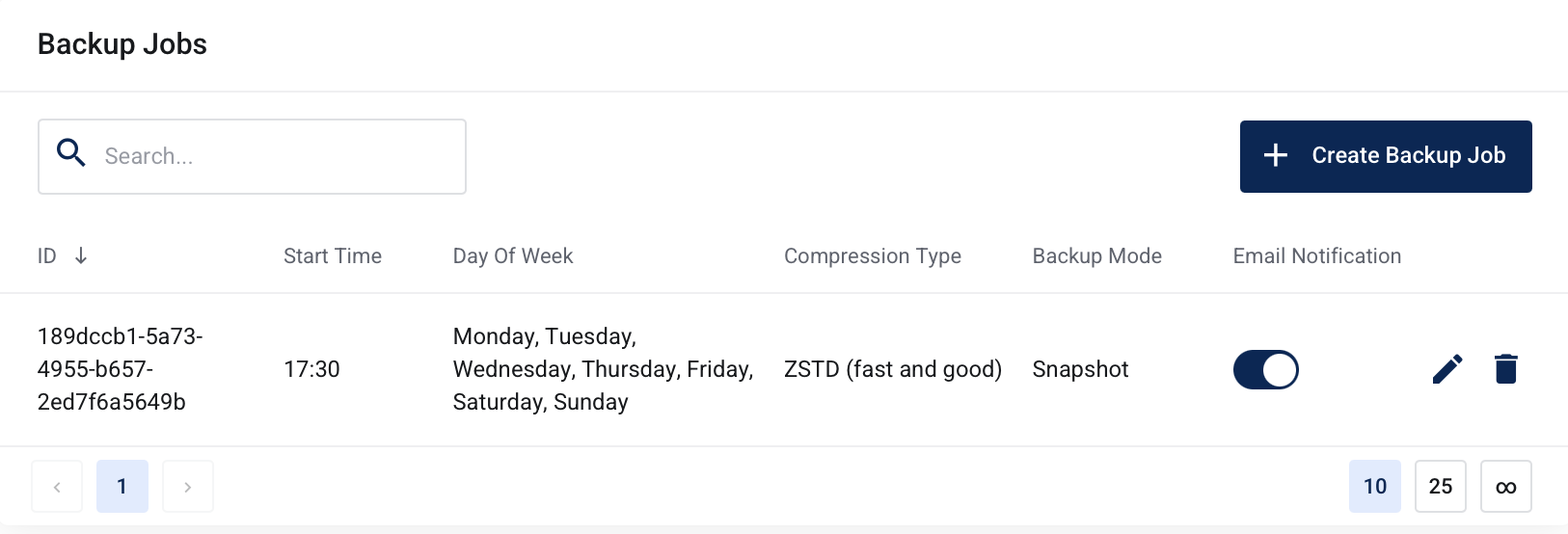
You will now see the recently created Backup Job listed in your client zone. You have the options of toggling email notifications, editing the plan, or removing it completely.
Feel free to create additional Backup Jobs to fit into your requirements.